Skip to content

Our Software

TEMA is motion analysis software from Image Systems.

It tracks objects in high-speed or standard video and turns their movement into engineering data – position, speed, acceleration, frequency, amplitude, angles and 3D motion – in millimeters, degrees, hertz and seconds instead of pixels.


What does motion analysis software do?

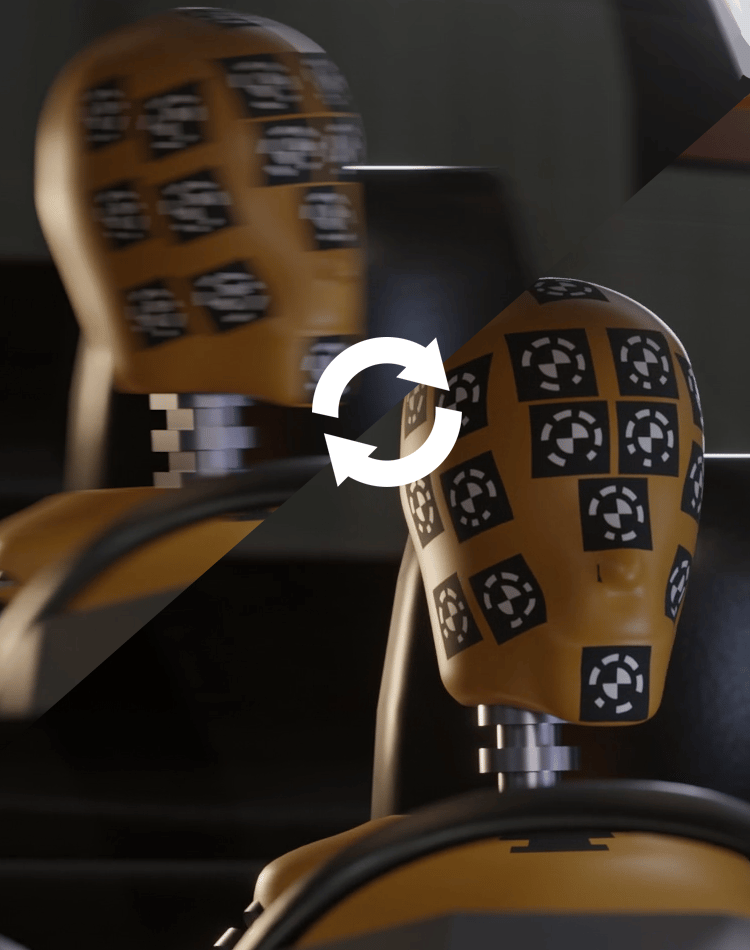
A high-speed camera shows a crash, impact or release in detail, but it can't tell you how far something moved, how fast it went or how close it came. Motion analysis software measures that for you quantitatively using only the image data.

You film the test, mark the points or shapes you care about, and the software follows them through every frame. Because it knows how your camera sees the scene, it converts each position in the image into real-world units. Doing the same by hand frame by frame is slow, hard to repeat, harder to automate, and easy to get wrong.

How TEMA Works

Every analysis in TEMA follows the same five steps.

If you've done it once, save the session as a template and get to your end results even faster.

ImportTest

Import

Load video or image sequences from almost any sensor, including proprietary high-speed formats such as .cine, .mraw, DICOM, .ioraw, and more.

Drag, drop and go.
Frame count, frame rate and invidvidual frame timestamps are read automatically, and the frame rate can be easily overridden or remapped.

Rescue difficult footage.
White balance, gamma, contrast, softening, sharpening and region-by-region histogram equalization (CLAHE), with a before/after view.

Line up several cameras.
Time-shift each view so every camera shows the same moment at the same time, and set a common zero time. Mix and match data from different frame-rates sources without a second thought.

CalibTest-1

Calibrate

Tell TEMA how each sensor and lens sees the scene, so camera movements, perspective and lens distortion doesn't skew your results.

Your lens, measured.
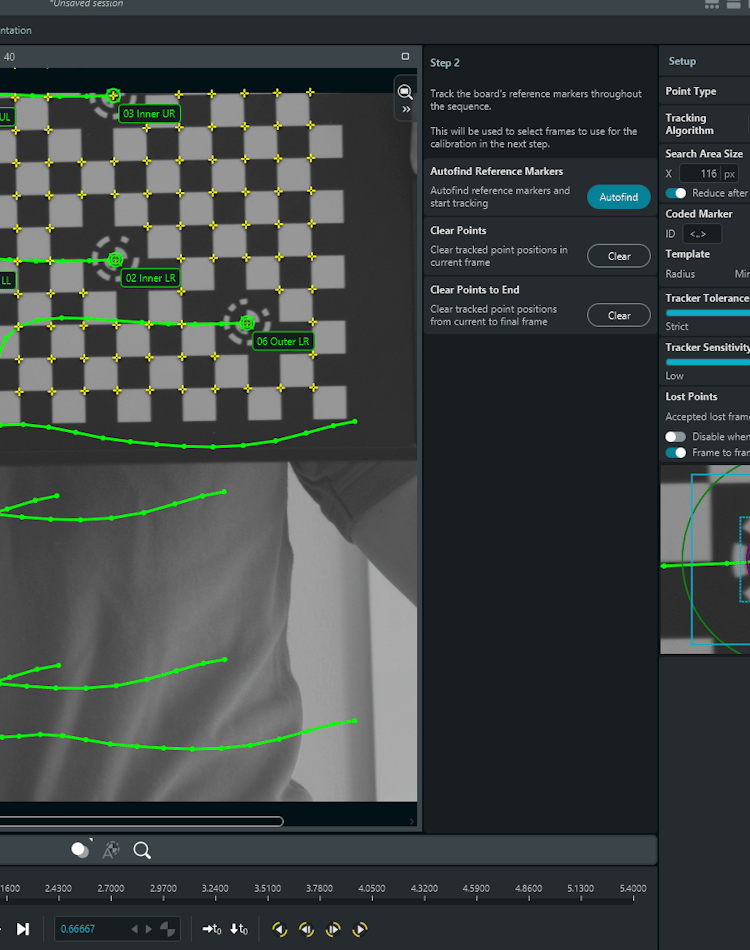
A guided wizard measures real focal length, distortion and principal point, including focus breathing. Save and reuse the calibrations!

Automated.
TEMA finds the board markers, picks the frames, places the board points for you, and creates a previewable calibration.

Proof of quality.
Report-ready residuals per board point, and a color-coded map of where to trust the calibration for qualitative approval.

Orient cameras with or without a survey (3D).
Four surveyed points per camera is enough to orient the cameras, even on a moving sled. No survey? Eight arbitrary common points between cameras and a single known distance is enough to get true 3D results.

Read more about Calibration in TEMA

GripenTest

Geometry & Reference

Define known lengths, reference points, coordinate systems or 3D models, so pixels become millimeters, and separate references from the measurements to keep your workspace clean.

From pixels to millimeters.
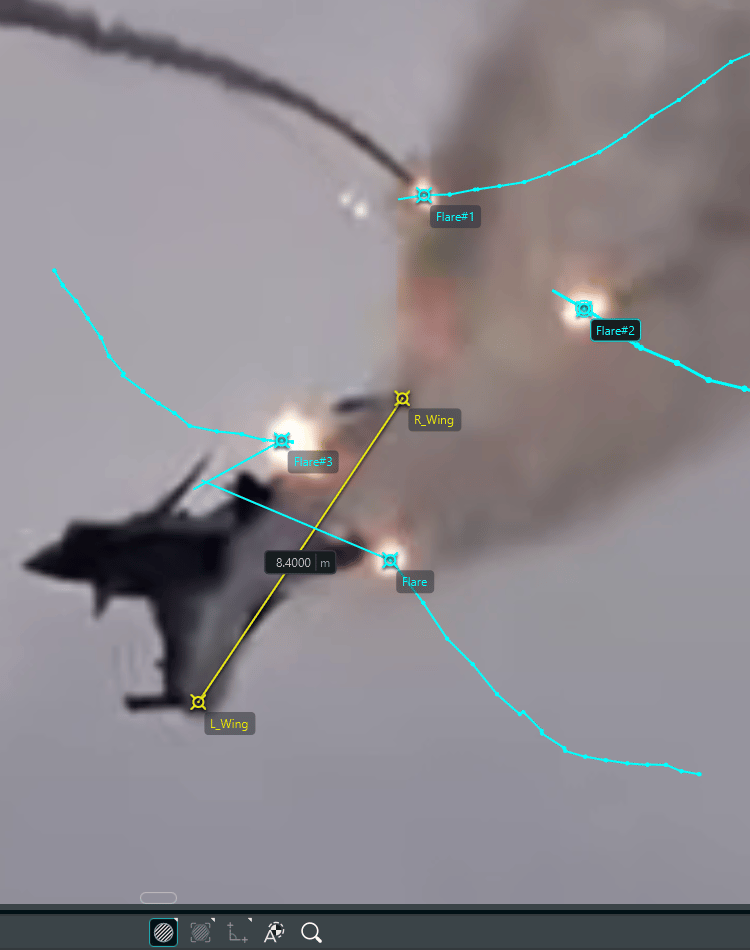
Drag a line over a known length, and results switch to real-world units (2D), or use several cameras to triangulate real 3D coordinates in meters (3D).

Motion that isn't square to the camera.
Skewed planes for angled motion, parallel planes for points at different depths, and true 3D-camera calibration to map the sensor data into points in 3D-space.

Bring in your 3D scan (3D).
Import textured .obj models from a 3d scan. TEMA automatically finds its Quadrant Symmetry or Coded Markers, and saves it all as one reusable 3D-reference file for pose estimation or camera calibration.

Draw limits that don't physically exist (3D).
Define Virtual Planes which act as intrusion boundaries or safety thresholds, fixed or moving with the test.


TrackingTest

Track

Place trackers on markers, features or outlines. TEMA follows them automatically through every frame, to a fraction of a pixel.

The right tracker for every target.
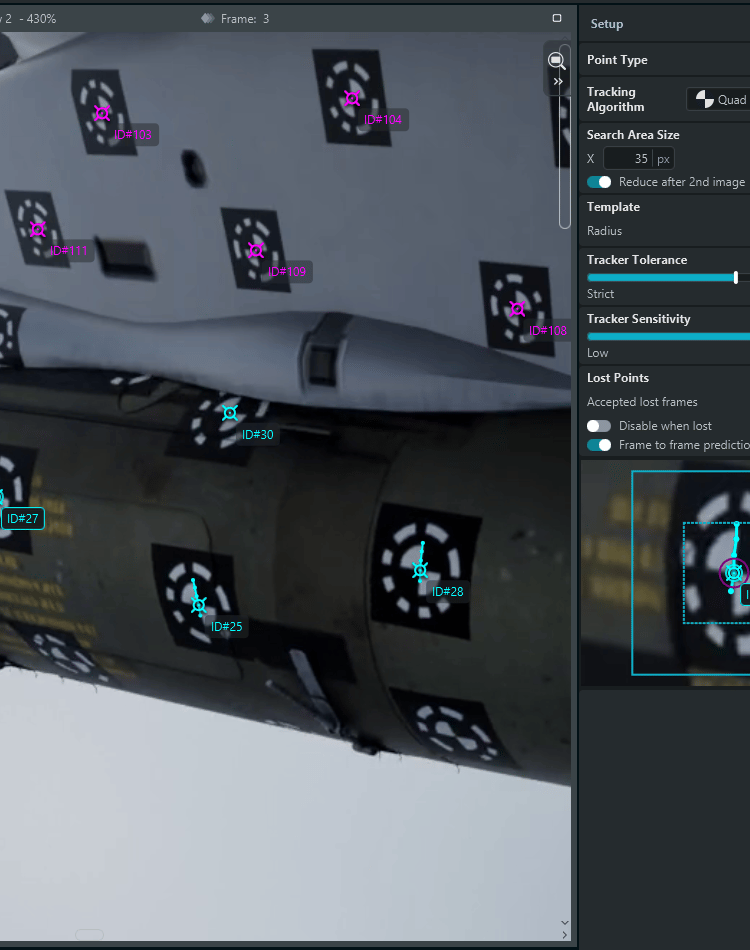
Dedicated quadrant and Coded Marker trackers, correlation for tracking any arbitrary point, and intelligent threshold area tracking. Robust against disturbances like defocusing, motion blur, sensor noise and rapid changes in light.

Machine learning for the hard cases (Add-on).
Adaptive Outline follows faint edges through occlusion, lighting changes, heat haze and objects leaving the frame.

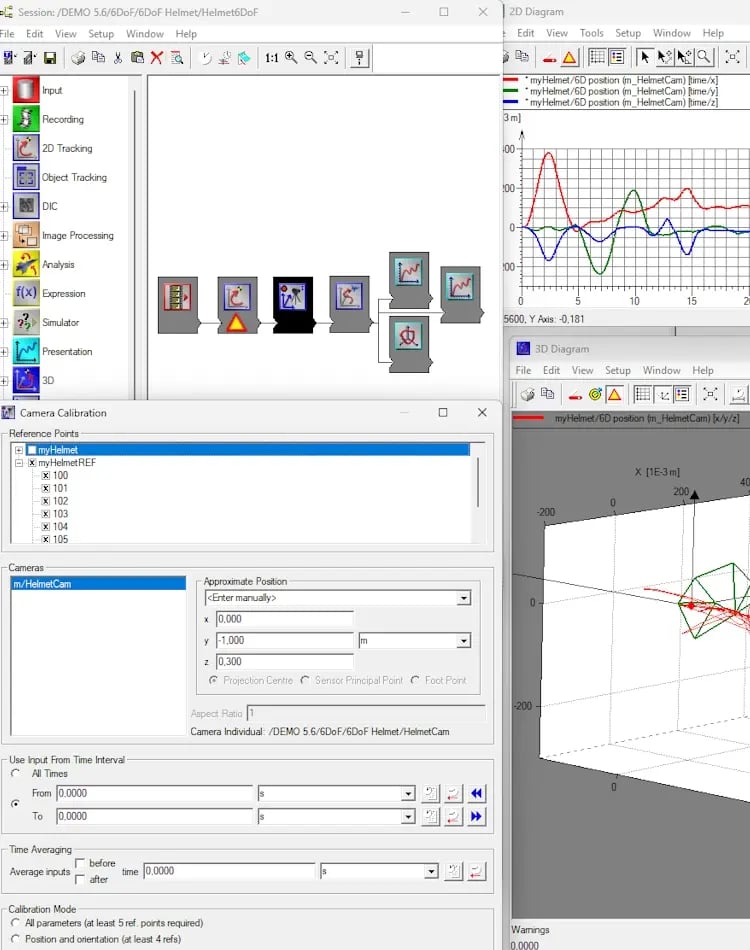
Full rigid-body pose estimation from a single Camera, or multiple Cameras.
Four points on a known 3D scan gives object X, Y, Z, pitch, yaw and roll as you track with sub-millimeter precision.

Multi-camera 3D without extra work (3D).
Define a point the same in each calibrated view, and TEMA triangulates it automatically to find its true 3D-position.

Measure between anything.
Shortest distances between points, lines, outlines, planes and meshes, plus intersections and how fast the gap closes.


ChildSeatTest

Visualize & Export

Plot position, velocity and acceleration, compare tests, and export to Excel, CSV or JSON, or as video with the measurements overlaid.

See the numbers on the footage.
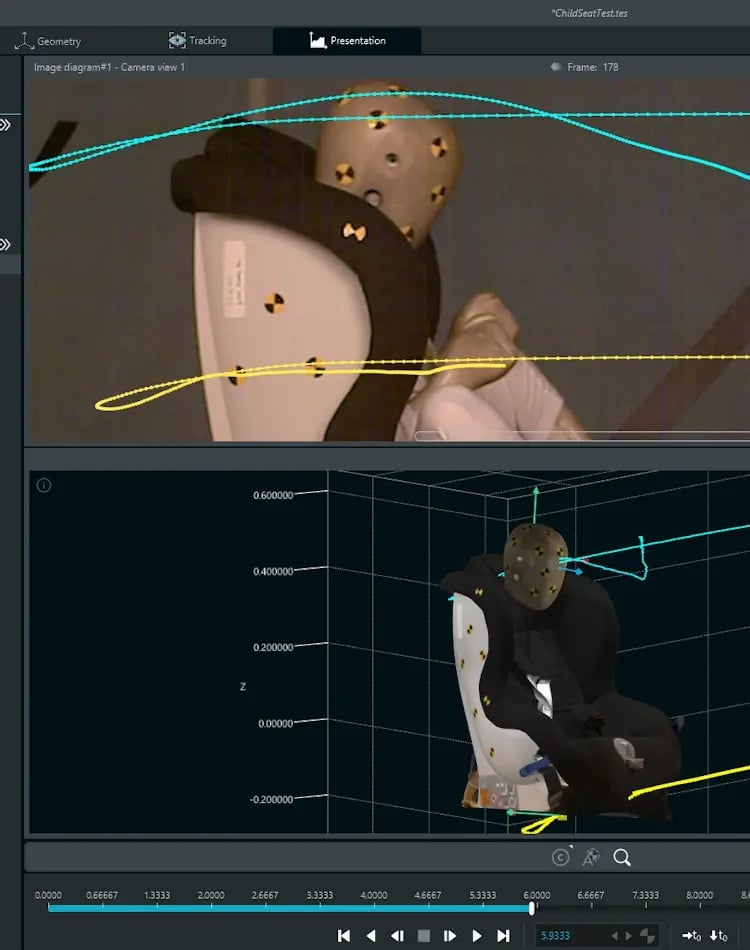
Plot and export data on the video, in 2D and 3D diagrams and time table sheets, all synced to the timeline. Export videos easily for collaboration or slides.

Standard filtering built in.
Automotive standard CFC (SAE J211/1), and FIR filters for velocity and acceleration. Filter freely on any sequence.

Compare like with like.
Compare Curves aligns curves at one moment to show differences in shape. Find and label minima and maximas - local and global - automatically.

Your own calculations, live (add-on).
TemaPy Python scripts run as you track, with results as new points and curves, allowing custom calculations and plotting with your own sequences.

Export that fits your workflow.
Excel, CSV or JSON at full precision, or video with overlays from your diagrams to visually communicate the test.


RedoTest

...And Repeat. Faster.

Load a saved template for your next test, and it's analyzed the exact same way with far less setup.

Templates for the whole setup.
Save camera setups, tracker initial positions, planes, 3D objects and alignments, then load them on new footage, and be ready with new data in minutes.

Calibrate once, reuse every time.
Calibrations, camera orientations and 3D models can be saved and reloaded as long as the rig is unchanged. Set and forget.

Results that are ready when tracking is.
Diagrams add newly tracked features automatically.

The same method across teams and sites.
One template keeps results comparable across operators, sites and earlier tests, with additional functions for intertest comparisons in TEMA Connect.

What can TEMA measure?

Motion from one camera

When the movement happens mainly in a single plane or parallel, one camera is enough.

Track markers, features and shapes such as airbags or flames, and measure distances, angles, speed and acceleration.
Motion in true 3D

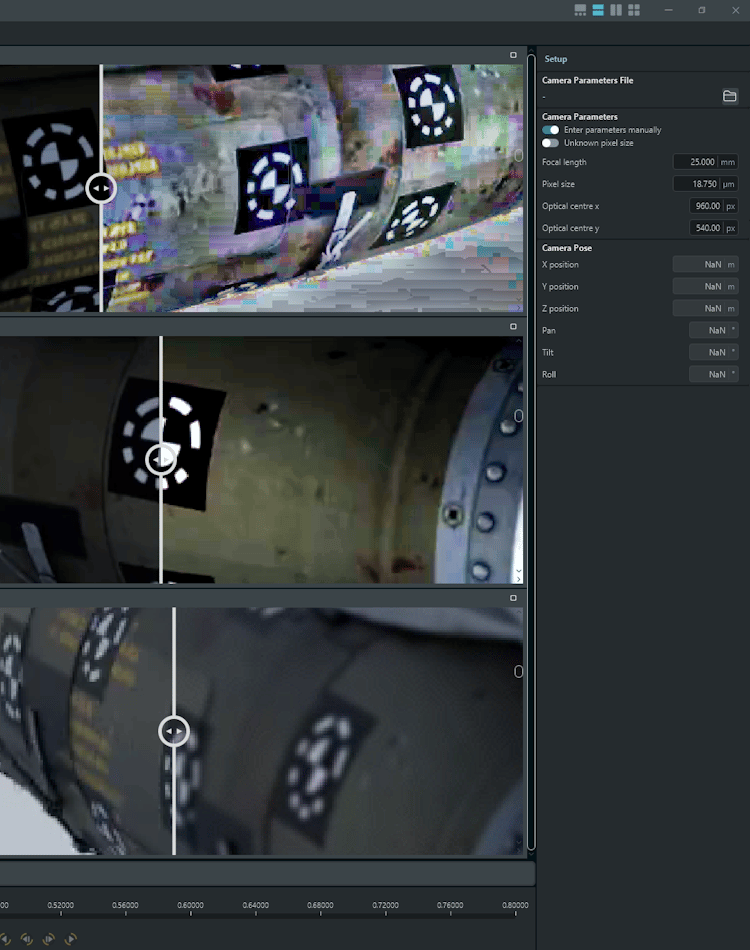
When objects move toward the camera, rotate or tumble, combine calibrated cameras to measure X, Y and Z position over time, or get full position and rotation over time from a 3D model of the object.

Use this to calculate distances between objects and unlock a full 3D-view of the experiment.

Calibration and orientation

Accurate results start with knowing exactly how each camera and lens behaves. TEMA measures focal length and lens distortion, and shows you how well the calibration fits.

Accuracy and Repeatability

TEMA tracks to a fraction of a pixel and shows you the quality of each step, so your results can be checked, repeated and defended.

  • Sub-pixel tracking. TEMA's suite of trackers locate markers and track features to a fraction of a pixel. 

    Quad-symmetry tracking has 99% of frames sit within 0.18 px distance from the ground truth.

    Internal benchmarks occur every single software iteration to ensure algorithm changes yield improvements, and that you can rely on best-in-class accuracy throughout the pipeline.

  • Calibration you can inspect. Residuals for every calibration point and a color-coded coverage map show where results are reliable. Our Lens Calibration Boards use specialized printing down to 0.02 mm accuracy, and come with a certificate proof of quality.

  • Standard filtering. Filter velocity and acceleration with CFC filters to SAE J211/1, the standard used for impact test data, or with FIR filters.

  • The same method every time. Templates store camera setups, planes and 3D objects, so every test in a series is analyzed the same way. Automated placement and tracking makes sure that the measurements you make are deterministic and repeatable.

How accurate your own results are also depends on your setup: camera resolution, how many pixels a marker covers, lighting, calibration, and distance to the measured object. An application engineer can tell you what to expect for your test.

TEMA Features

Tracking algorithm library

10+ tracker types: Correlation, quadrant, circle, symmetry, corner, outline and more. Cover almost any target, with or without markers.

Sub-pixel accuracy

High-precision point and outline tracking for the best output data.

3D and Pose analysis

Multi-camera 3D, and full 6-degrees-of-freedom motion and pose estimation of rigid bodies, including from a single camera.

Digital Image Correlation (DIC)

Full-field deformation and strain measurement, with tensile and modal analysis.

Lens and perspective calibration

Lens distortion correction, angled and depth-based motion planes, and 3D wand calibration, all of which remove measurement and perspective errors at the source.

Automatic calculations

Position, velocity, acceleration, distances and angles, computed directly from tracking.

Signal processing

Standard CFC, FIR and spline filtering, plus FFT frequency analysis of tracked motion.

Robustness in difficult footage

Camera vibration removal, virtual points for hidden or masked targets, and gap prediction.

Automotive crash and airbag analysis

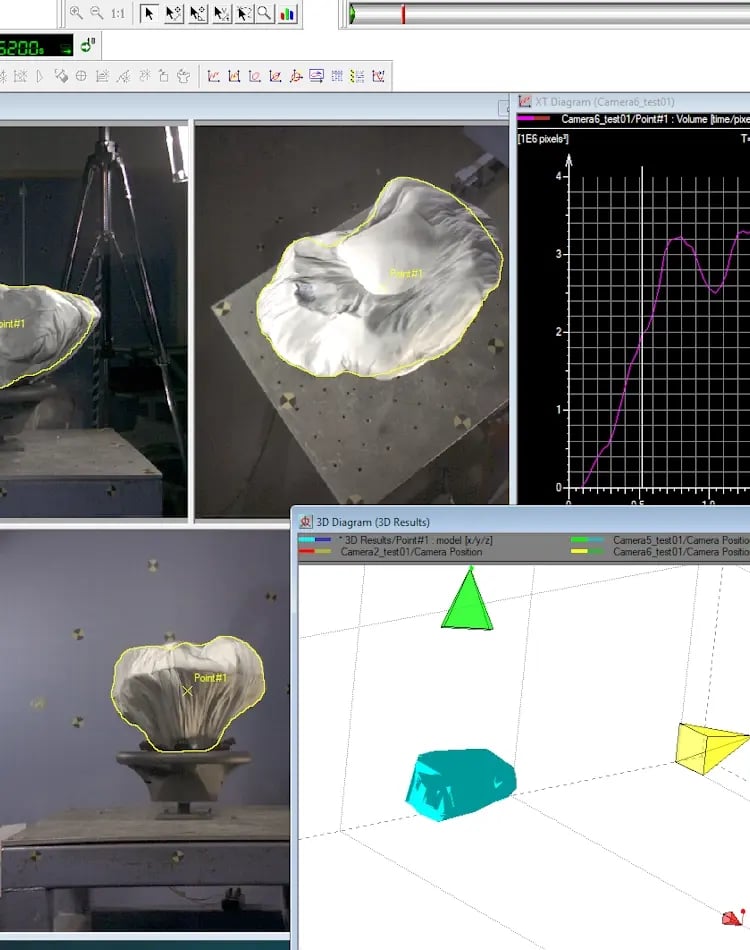
Airbag volume and contour analysis, virtual walls and distances between rigid bodies, designed around industry test standards.

Reporting and automation

Synchronised viewer, report generator, video overlays, templates for batch processing and Python scripting (TEMApy).


Legacy Software

Today’s TEMA improves upon the experience and technology of two platforms that thousands of test engineers have relied on for decades: TEMA 4 and TrackEye.

Both are still available and fully supported, so existing setups keep running as they do today, but without the addition of new features.

TEMATest

TEMA 4

  • Our previous generation of TEMA, introduced in 2004

  • Built for the move from film to digital high-speed cameras

  • Long established in automotive crash and safety testing

  • Still available and supported with maintenance updates

  • Existing projects and workflows keep running as they are

  • Expansive feature-set, with 2D, 2.5D, 3D, and 6DoF applications.


TETest

TrackEye

  • Our original motion analysis platform, with roots going back to 1983

  • Proven on military test ranges and outdoor tracking applications

  • Powers our tracking-mount and specialized range solutions

  • Graph-based interface for highly customized analysis workflows and custom calculations

  • Still available and supported with maintenance updates

TEMA Software in numbers

130+
customers
50+
countries
40+
years of experience

Ready to see what TEMA can measure for you?

Book a demo, and we will show you TEMA in action on a test like yours.

Frequently asked questions

Do I need 2D or 3D motion analysis?

Use 2D when the motion happens mainly in one plane that one camera can see, for example a part swinging sideways in front of the camera. You can easily compensate for the in-plane distortion using our Motion Planes feature.

Use 3D when objects move toward or away from the camera, rotate or tumble, as in crash tests and store separation. If you're unsure, an application engineer can look at your test with you.

Do I need to put markers on what I'm testing?

Not always. Markers give the most robust and automated tracking, especially Image Systems Coded Markers.

TEMA can also follow arbitrary natural features and edges in the image through correlation, and in 3D you can measure points you can't see by defining 3-dimensional target models.

Can TEMA analyze tests I've already filmed?

Yes. TEMA works with existing footage from almost any camera, as long as it's in a supported format.

Known lengths or reference points in the scene let TEMA convert results to real-world units. For 3D results, the cameras also need to be calibrated, ideally with calibration footage from the same setup.

How long does it take to learn how to use TEMA?

TEMA guides you through the same five steps for every analysis, developed and continually updated to have the smoothest user flow and experience. We strive to make the complicated mathematics and results easy to attain in a few clicks with as little setup as possible.

TEMA Connect includes step-by-step manuals, feature breakdowns, and video tutorials, and Image Systems application engineers offer training for new users and teams.